Claude
Add a custom connector in Claude's connector settings, paste the URL, and connect with your DataWise account. DataWise Settings also includes instructions for Claude Desktop and Claude Code.
Give Claude, ChatGPT and AI agents like Grok Bot, OpenAI Dots and Hermes real SEO tools. Research keywords, compare competitors, and work with your Search Console, ranking and AI visibility data from one DataWise connection.
Included with AI Ranking community membership. Daily data allowance and client requirements apply.
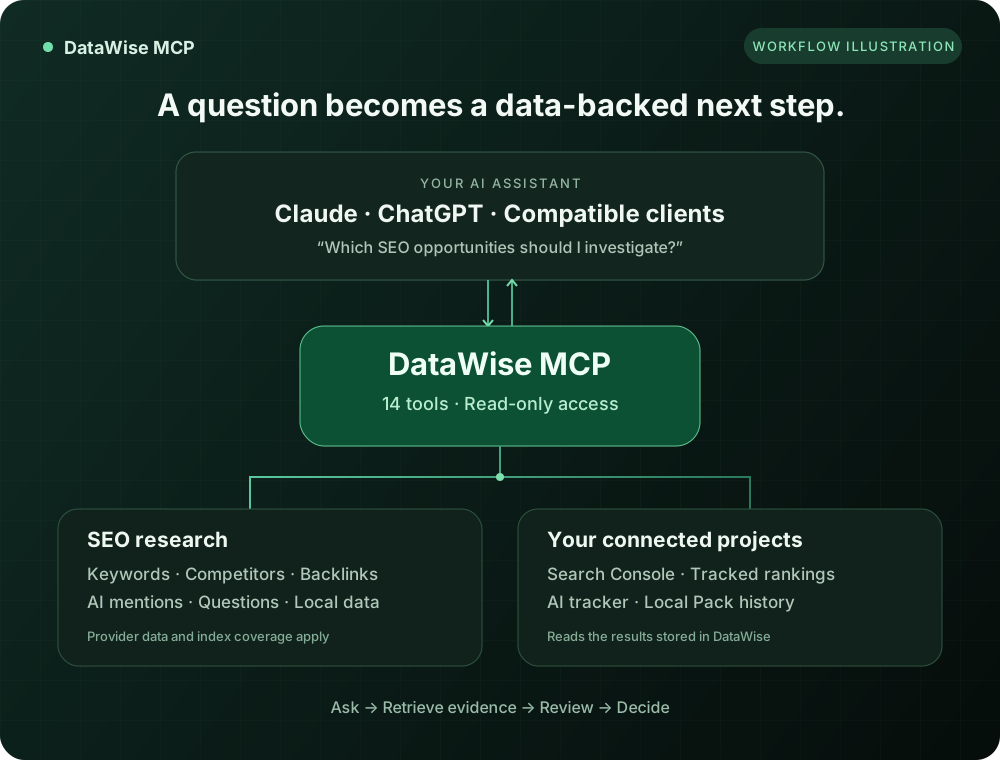
14 read-only tools across six areas of SEO research and reporting.
Discover related terms, get volume and difficulty for a keyword list, and explore Google's People Also Ask questions for your next content brief.
Get a domain overview, discover organic competitors, inspect ranked keywords, and compare two domains for keyword gaps.
Explore backlink totals, individual links, referring domains, and anchor text. Ask your assistant to organize the findings into an outreach shortlist.
Read your connected Google Search Console totals and queries, list tracked projects, and review keyword positions and their stored history.
Explore stored AI tracker trends for your projects or compare domains in the historical AI mentions index. Each answers a different visibility question.
Review a Local Pack project's profile completeness, rankings, reviews, and latest geo-grid scan. Read recent business reviews for more context.
Go to Settings, then MCP & AI assistants. Check your access, connection instructions, and current data usage. MCP access is included with AI Ranking community membership.
Add the DataWise URL as a remote MCP connector in Claude, ChatGPT, Grok Bot, OpenAI Dots or Hermes. Sign in to DataWise and approve access. For clients that need a bearer token, create one in the same Settings panel.
Name the site or project, choose the market, and ask for the evidence you need. Follow up to turn the returned data into a prioritized brief you can review.
The same SEO MCP server works in AI chat apps and in AI agents. Add the URL below, sign in to DataWise, and approve access.
https://mcp.datawiseseo.com/mcp Add a custom connector in Claude's connector settings, paste the URL, and connect with your DataWise account. DataWise Settings also includes instructions for Claude Desktop and Claude Code.
Use a custom MCP app with developer mode enabled. Add the URL and select OAuth authentication. Availability depends on your ChatGPT plan and workspace permissions.
Use a client that supports Streamable HTTP. If it needs a bearer token, generate a personal token in DataWise Settings and add it to the client's authentication configuration.
Tell any Bot: "add a custom server named DataWise at https://mcp.datawiseseo.com/mcp". Click Authorize on the card it shows and sign in. Every Bot on your account can then use it. See the Grok Bot SEO team.
Your dot uses ChatGPT's connectors. Turn on developer mode, add DataWise as a custom MCP server on desktop, sign in, then give your dot recurring SEO jobs. See the Dots setup.
Add DataWise under mcp_servers in ~/.hermes/config.yaml with the URL and auth: oauth. Hermes prints a sign-in link on first connect. A personal token in the headers works too.
Start in Settings → MCP & AI assistants for access, connection instructions, and usage. Keep personal tokens in your client's authentication settings.
Copy a prompt and replace anything in brackets. These are example requests; the answers depend on the data available for your site and market.
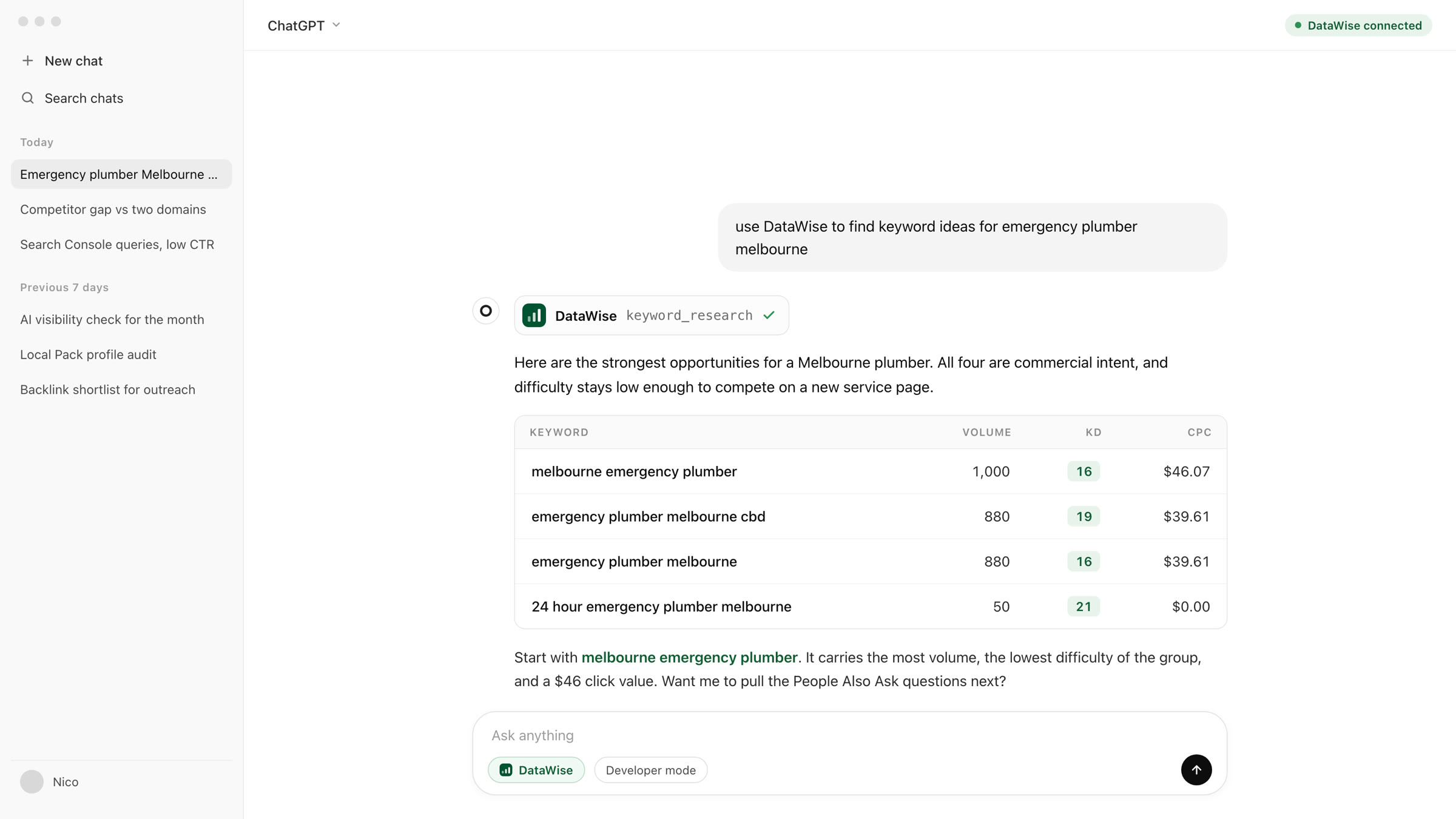
Use DataWise to research keywords related to [your service] in [country and language]. Return 15 relevant ideas with available search volume and difficulty. Check metrics using detailed results and mark missing provider rows as unknown. Group the keywords by intent, suggest three content briefs, and explain your priorities.
List my connected DataWise Search Console properties and ask me which one to use. Then show its 30-day overview and the top 50 queries by impressions. Highlight queries with low CTR, report their positions, and suggest what to investigate. State the reporting period returned and do not invent a cause.
Use DataWise to compare [my domain] with [competitor domain] in [country and language]. Return 20 keyword gaps with available volume, difficulty, and ranking context. Recommend five topics that fit my business. Explain that this comparison uses the top 300 keywords per domain, not the full keyword universe.
List my DataWise rank-tracking projects and ask which one to use. Read its stored AI visibility data for the last 30 days, including tracked queries. Summarize mentions, citations, and share of voice where available. State the observation dates and any gaps. Do not describe stored results as new live checks.
Chat apps answer when you ask. Agents keep working on a schedule. Connect DataWise once and an agent in Grok Bot, OpenAI Dots or Hermes can research, write and report on real SEO data every week, without you exporting a single CSV.
Pulls Search Console, keyword gap, People Also Ask and AI visibility data from DataWise every week, then picks the one page worth creating or refreshing.
Turns the research brief into a citation-ready draft, with every number traced back to a DataWise tool call instead of a guess.
Builds the page as a draft in your CMS and waits for your approval. The DataWise tools stay read-only the whole way.
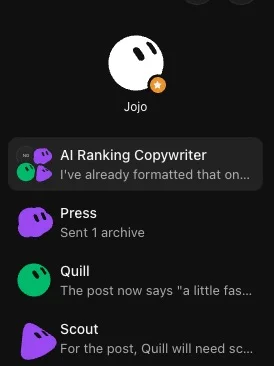
See it set up step by step: build an SEO team of Grok Bots, or give an OpenAI dot weekly SEO jobs.
Two short screen recordings, one for each assistant. Both run under three minutes and finish with a real question answered from live DataWise data.
Add the custom connector in Claude, sign in to DataWise, approve access, then ask a first keyword question in the chat.
Turn on developer mode, create the MCP connector with OAuth, approve access, then run SEO research without leaving the chat.
Use the returned evidence to investigate an opportunity, prepare a brief, or decide what to check next.
Combine keyword ideas, available metrics, and People Also Ask questions. Ask your assistant to group relevant topics and explain its priorities.
Compare two domains' top keyword sets, then review the returned gaps for business fit, ranking difficulty, and the type of page you could create.
Review Search Console queries with impressions but few clicks. Use the returned positions and CTR to form hypotheses for your next optimization.
Read a tracked project's current and previous keyword positions, then ask for a concise explanation of the changes and the questions to investigate.
Discuss the mentions and citations recorded for your tracked queries. Compare them with historical domain mentions while keeping the two data sources separate.
Use a local project's profile audit, review picture, and latest geo-grid results to draft an ordered checklist of improvements for a business owner.
For people who want their SEO evidence in the conversation they already use.
Bring a client's connected project data into your preferred assistant. Prepare a briefing with the returned metrics, your interpretation, and a clear list of next actions.
Move from a seed topic to a researched outline in the same conversation. Use keywords and real search questions to decide what the article should cover.
Ask for an explanation of your Local Pack project's profile gaps, review trends, and geographic ranking coverage, then decide which fixes to tackle first.
Give an agent in Grok Bot, OpenAI Dots or Hermes a hosted set of SEO tools. Let it run weekly research, briefs and reports on real data, within your account's usage limits.
Discover high-value keywords with difficulty scores, search volume, CPC data, and AI-gener...
Track your brand presence in AI-powered search results across Google AI Mode, ChatGPT, Per...
Connect Google Search Console and ask questions about your clicks, impressions, and pages....
Everything you wanted to know before you start.
Already an AI Ranking member? Open Settings to connect your assistant or agent and check your usage. New to DataWise? Join the AI Ranking community to get access.